
How Jerry Works
From invoice sent to money in the bank - without writing a single chaser email.


The Escalation Ladder
Jerry runs a proven 4-step sequence. Edit it once. He handles the rest forever.
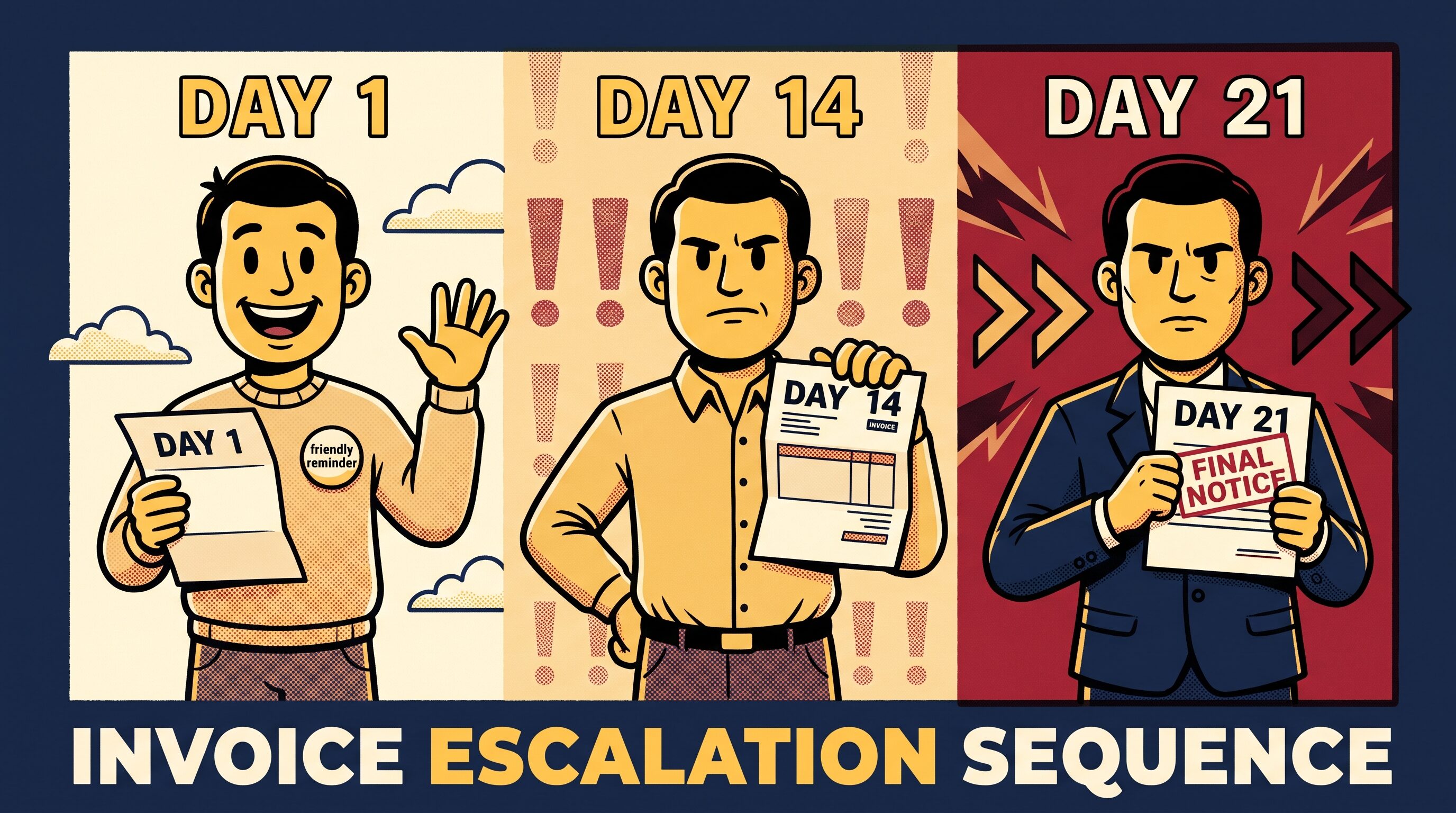
Friendly Nudge
A warm check-in. Assumes they just forgot. Zero pressure.
Firm Follow-up
Direct and clear. Offers to unblock any payment issues.
Late Fee Notice
Calmly mentions late-fee terms. Things are getting formal.
Final Notice
Last call before escalation. CCs you directly. Jerry means business.
The ladder is yours to edit. Jerry runs it automatically once you approve it.
Set Jerry's Tone
Customize how Jerry talks to your clients. Per-client settings. Switch any time.



More than invoice chasing.
Jerry handles the full invoicing lifecycle - VAT-compliant tax invoices for the UAE, polished invoices with PDF copies and a hosted pay page, recurring bills sent on time, contracts read for you, and every client reply understood.
UAE VAT-Compliant Tax Invoices
Mark your business as VAT-registered and Jerry automatically issues a proper TAX INVOICE - your TRN, a 5% VAT line for UAE clients (0% for exports), and an AED amount-in-words line when you bill in another currency. Once sent, the figures lock so your records stay clean for FTA filing.
Recurring Billing, Automated
Set a billing schedule for any client - weekly, monthly, quarterly, or a custom interval. Jerry creates the invoice and sends it automatically on the due date, every time.
- Weekly, monthly, quarterly, or custom intervals
- Auto-send on the billing date - or hold for your review
- Pause or skip any cycle with one click
- Upcoming auto-bills visible on your dashboard
Upload a Contract. Jerry Reads It.
Drop in a contract PDF and Jerry's AI extracts your payment terms, due-date rules, and late-fee clauses - automatically. No more manually entering billing details for each new client.
- Extracts payment terms and due-date rules
- Picks up late-fee clauses and billing frequency
- Applied automatically to that client's invoices
- Works with any standard freelance contract format
Jerry Reads What Clients Write Back
When a client replies to a chase email, Jerry's AI reads the message and classifies it: promise to pay, dispute, payment confirmation, or general question. Escalation pauses instantly if your input is needed.
Your Money, At a Glance
See every outstanding invoice, overdue total, and upcoming auto-bill in one view. Jerry's activity feed shows you exactly what it sent, when, and what the client said back.
Built for how freelancers actually get paid.
Every awkward part of billing, handled by an agent that never forgets.
AI-powered invoicing that never forgets to get you paid.
Jerry is an AI-powered invoicing platform built for UAE freelancers, small businesses, consultants, and independent contractors. Create and send polished invoices with PDF copies and a hosted page your client can pay from, issue proper VAT-compliant TAX INVOICEs with your TRN when you're VAT-registered, run recurring billing on autopilot, and when an invoice goes past its due date, Jerry takes over - writing and sending a personalised sequence of escalating follow-up emails, so you never have to.
Unlike generic email tools or calendar reminders, Jerry understands the full context of each invoice: the client relationship, the amount owed, how many days overdue it is, and what tone to use. It adjusts its language automatically and pauses when a client replies so you can step in with full context.
From the first invoice you send to the last reminder a late payer needs, Jerry keeps your entire billing life in one place: invoices, clients, contracts, payments, and every email in between.
Frequently Asked Questions
Everything you need to know about Jerry.
What is Jerry?+
Jerry is an AI-powered invoicing platform for freelancers and independent contractors. You create and send invoices from Jerry - your client gets a PDF copy and a hosted page they can view and pay from - and set up recurring billing or Stripe pay-now links if you want them. When an invoice goes overdue, Jerry's AI automatically writes and sends a sequence of escalating follow-up emails, from a friendly reminder on day 1 to a firm final notice on day 21, and reads the replies so you only step in when it matters.
How does automated invoice chasing work?+
Jerry monitors the due date on every invoice. The day after a due date passes with no payment, Jerry sends a friendly nudge. At day 7 overdue it sends a firm professional follow-up. At day 14, a late-fee notice. At day 21, a final notice CC'ing you directly. All emails are AI-written and personalized per client. When a client replies, Jerry classifies the response and pauses chasing if your attention is needed.
Is Jerry free to use?+
Yes. Jerry's free plan gives you your first 3 invoices with all features included - no credit card required. The Pro plan at $19/month unlocks unlimited invoices and clients.
Can clients view and pay invoices online?+
Yes. Every invoice Jerry sends includes a hosted invoice page your client can open in their browser to see the full breakdown, download a PDF copy, and pay. With Stripe connected, the page includes a Pay Now button so clients can settle by card in seconds - the money goes directly to your Stripe account.
What email tones does Jerry support?+
Three tones, configurable per client: Velvet (warm and empathetic, best for long-term relationships), Direct (clear and professional, the default for most freelancers), and Formal (legal-grounding language for seriously overdue accounts). You can switch tone any time.
What happens when a client replies to a chase email?+
Jerry's AI reads and classifies the reply: promise to pay, payment dispute, payment confirmation, or general query. If the client disputes the invoice or asks a question, Jerry pauses chasing automatically and notifies you so you can respond. If they confirm payment, Jerry closes the invoice.
Can I pause Jerry for a specific client?+
Yes. You can pause Jerry's automatic chasing for any individual client or invoice at any time. Resume whenever you choose, or trigger a one-off manual chase any time.
Does Jerry work with Stripe for online payments?+
Yes. Jerry integrates with Stripe Connect to add a Pay Now link to every invoice. Clients click the link and pay instantly. The money goes directly to your Stripe account.
How is Jerry different from manually following up on invoices?+
Manual chasing is inconsistent, awkward, and time-consuming. Jerry is consistent (every overdue invoice is chased on exactly the right day), personalized (emails are AI-written for each client and invoice amount), and automatic (runs 24/7 without any action from you). Jerry also reads client replies, tracks the full communication history, and knows when to stop for human input - none of which manual chasing can do at scale.
What is the Jerry escalation ladder?+
The escalation ladder is the configurable sequence of follow-up emails Jerry sends as an invoice gets progressively more overdue. The default: Friendly Nudge (day 1), Firm Follow-up (day 7), Late Fee Notice (day 14), Final Notice (day 21). Freelancers can edit the timing, tone, and content of each step. Once approved, Jerry runs the ladder automatically forever.
Can Jerry automatically create and send recurring invoices?+
Yes. Jerry supports recurring billing schedules for any client. Set the frequency - weekly, monthly, quarterly, or a custom interval - and whether Jerry should send automatically or hold for review. On each billing date, Jerry creates the invoice and sends it. You can pause or skip any cycle from the client page. Upcoming auto-bills appear on your dashboard.
Can Jerry read my contracts and extract billing terms?+
Yes. Upload a contract PDF to any client profile and Jerry's AI extracts the payment terms, due-date rules, late-fee clauses, and billing frequency. The extracted terms are applied to that client's invoices automatically - no manual data entry needed when you onboard a new client.
Does Jerry support UAE VAT-compliant tax invoices?+
Yes. Mark your business as VAT-registered in the UAE and Jerry automatically issues proper TAX INVOICEs: your TRN is shown on every invoice, a single 5% VAT line is calculated for UAE clients (0% for export invoices to clients outside the UAE), and the total is shown with an AED amount-in-words line when you invoice in another currency. Once an invoice is sent, its VAT figures are locked so your numbering and tax records stay clean for FTA filing.
Is Jerry suitable for UAE freelancers and small businesses, not just international ones?+
Yes. Jerry was built with UAE freelancers, consultants, and small businesses in mind: TRN and VAT-compliant tax invoices, AED-first amount formatting, and client country tracking to correctly apply 5% VAT locally or 0% for exports. It works just as well for non-UAE freelancers who simply want fast, professional invoicing and automated chasing.